How to Improve Email Deliverability: A Diagnostic Framework
To improve email deliverability, diagnose the failure before changing tactics. Start by identifying where the problem occurs, then examine authentication, reputation, audience quality, complaints, bounces and sending behavior. Randomly changing subject lines or removing supposed “spam words” rarely fixes a structural problem.
Step 1: Define what actually got worse
Separate delivery failures from inbox-placement concerns. A bounce is different from a message accepted and filtered to spam. Compare by mailbox provider, campaign type and time period. Read Email Deliverability vs Email Delivery if those concepts are being mixed.
Step 2: Check authentication and alignment
Verify SPF, DKIM and DMARC for every active sending domain. Gmail bulk senders must use all three, with the From domain aligned to SPF or DKIM for direct mail. Yahoo bulk requirements similarly include SPF, DKIM, DMARC and alignment. Use our authentication guide for the roles of each record.
Step 3: Inspect bounces and server responses
Do not treat all failures as one bounce-rate number. Hard failures, temporary deferrals and policy-related responses point to different causes. Review our hard vs soft bounce guide.
Step 4: Check complaints and unwanted-mail signals
For Gmail, review Postmaster Tools spam data. Google recommends staying below 0.1% and preventing 0.3% or higher. Yahoo requires bulk senders below 0.3%. If complaints rise, inspect acquisition source, expectation, frequency and unsubscribe experience. See Email Spam Rate.
Step 5: Audit list quality
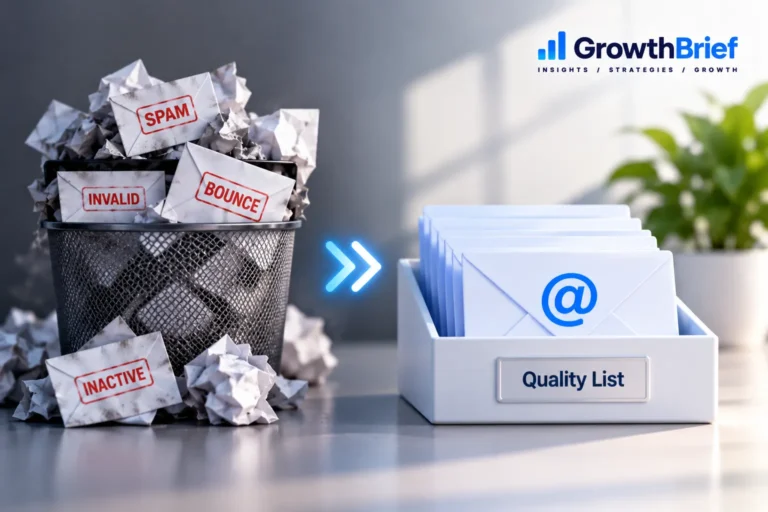
Identify invalid addresses, old imported contacts, dormant segments and sources with weak consent. Clean suppression practices protect future sends; they are not merely housekeeping. Follow the Email List Hygiene guide.
Step 6: Review volume and cadence
Look for sudden volume increases, long periods of inactivity followed by large sends, or infrastructure changes. If the pattern is new, a controlled warm-up may be appropriate.
Step 7: Make opt-out frictionless
Easy unsubscribe gives uninterested recipients a clean exit. For Gmail bulk marketing/subscribed traffic, one-click unsubscribe is required; Yahoo has similar bulk-sender requirements. Track unsubscribe rate as an audience-fit signal rather than hiding the option.
Step 8: Improve relevance after technical issues are controlled
Segment by genuine differences in need, maintain recognizable sender identity and make content match the signup promise. Engagement cannot rescue broken authentication, but technically perfect email that recipients do not want is also vulnerable.
30-minute deliverability triage
- Check whether the issue is provider-specific.
- Verify authentication results and DNS changes.
- Review bounce/error codes.
- Compare complaint rates with the prior period.
- Identify volume or acquisition changes.
- Confirm unsubscribe and suppression behavior.
- Document the likely cause before making changes.
What improvement should look like
Look for fewer preventable bounces, stable authentication, lower complaint pressure, healthier provider diagnostics and consistent business engagement. Recovery time varies; avoid declaring success from one campaign.
Frequently Asked Questions
Can changing subject lines fix deliverability?
It can affect recipient behavior, but it will not repair authentication, poor list acquisition, DNS problems or damaged reputation.
How quickly can deliverability improve?
There is no universal recovery time. It depends on the cause, provider, traffic volume and whether the underlying problem has actually been corrected.
Should I stop sending completely?
Not automatically. Severe problems may justify pausing an affected stream, while other cases call for reduced volume or targeted corrections. Base the decision on diagnostics rather than a blanket rule.