How to Choose Email Marketing Software
Choosing email marketing software is less about finding the platform with the longest feature list and more about finding the tool that fits your audience size, workflow complexity, sending needs, data model, team, budget, and growth plans.
A platform can be excellent in general and still be a poor fit for your specific operation. The right evaluation starts with requirements, not brand popularity.
Start With Your Email Marketing System
Before comparing software, define what you actually need to do. Are you sending a weekly newsletter, building lifecycle automations, running ecommerce campaigns, managing sales contacts, sending transactional messages, or combining several of these?
If the strategy is unclear, use our email marketing strategy framework first. Software should support the system, not define it.
1. Identify Your Core Use Cases
Write down the recurring jobs the platform must support. Examples might include:
- broadcast newsletters;
- welcome and onboarding sequences;
- behavior-based automations;
- lead nurturing;
- ecommerce campaigns;
- transactional email;
- forms and landing pages;
- contact management;
- reporting and attribution.
Mark each requirement as essential, useful, or optional. This prevents attractive extras from distracting you from missing fundamentals.

2. Evaluate Contact and Audience Management
Look at how the platform stores contacts, fields, lists, tags, segments, preferences, and lifecycle information. Your data model affects almost every future campaign.
If segmentation is important, test whether the platform can build the groups you actually need. Our email segmentation guide explains what useful segmentation looks like.
3. Examine Automation Depth
Basic tools may offer simple autoresponders. More advanced platforms may support event triggers, branching, goals, webhooks, CRM updates, and multi-channel actions.
Do not pay for complexity you will not use. At the same time, if automation is central to your strategy, confirm that the platform can represent the workflows you expect to build over the next year or two.
4. Review Deliverability Controls
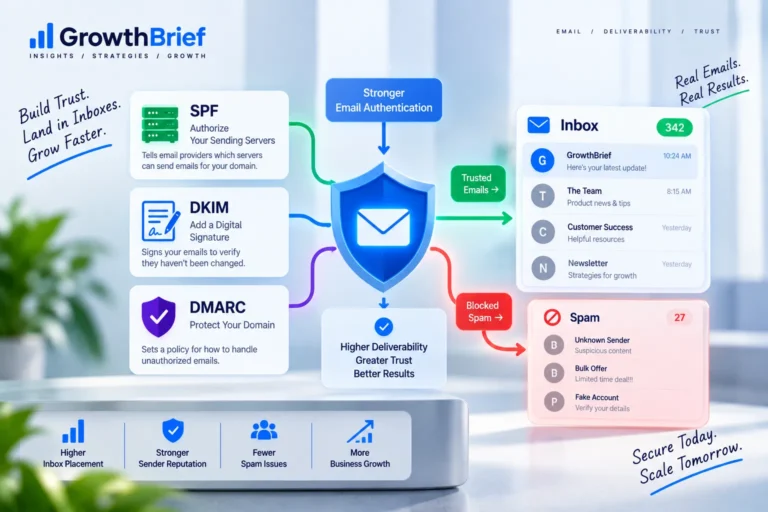
No vendor can guarantee inbox placement, but you should evaluate whether the platform supports domain authentication, bounce handling, complaint management, suppression, sending-domain configuration, and useful diagnostic reporting.
Review our deliverability guide so you know which questions to ask.
5. Understand Pricing Before You Migrate
Email software can price by contacts, active contacts, sends, users, features, automation capacity, or combinations of these. A low starting price can become expensive at your expected scale.
Model your likely cost at today’s list size and at a realistic future size. Include add-ons, transactional volume, extra users, dedicated infrastructure, and feature-tier requirements. When comparing economics, use the Email ROI Calculator to relate attributable revenue to the full cost of your email program.
6. Test the Editor and Workflow
The interface matters because your team will use it repeatedly. Test common jobs: creating a campaign, editing a template, building a segment, setting up an automation, reviewing a report, and making a last-minute change.
A feature that exists but is painful to use may not provide much practical value.

7. Check Integrations and Data Movement
List the systems that must exchange data with your email platform: website, ecommerce store, CRM, analytics, forms, product database, help desk, payment system, or internal tools.
Check whether integrations are native, provided by a third party, or require API development. Also consider how easily you can export your own contacts and data if you later leave.
8. Review Reporting Against Your Decisions
Most platforms show opens and clicks. The more important question is whether reporting helps answer your real business questions.
Can you compare segments? Track conversions? Evaluate automations? Export raw data? Connect with analytics? Use our email marketing metrics guide to define what you actually need to measure.
9. Consider Transactional Email Separately
If your business sends receipts, password resets, account alerts, or other operational messages, decide whether these should live in the same platform or a specialized transactional service.
Reliability, API quality, logging, webhook support, and separation from promotional streams may matter more here than newsletter-design features.
10. Evaluate Support, Documentation, and Governance
Consider how quickly your team can get help, what documentation exists, whether user permissions are adequate, and how account security is managed.
For larger teams, approval workflows, role controls, audit history, and workspace organization can become important selection criteria.
Create a Shortlist Instead of Comparing Everything
After defining requirements, narrow the market to two or three realistic candidates. Then reproduce the same tasks in each platform using the same test scenario.
GrowthBrief’s email marketing software hub is designed to help with that evaluation process.
A Practical Software Evaluation Scorecard
- Core use cases: 25%
- Automation and segmentation: 20%
- Deliverability controls: 15%
- Ease of use: 10%
- Integrations and API: 10%
- Reporting: 10%
- Pricing at expected scale: 10%
Adjust the weighting to match your business. The point is to make trade-offs visible rather than choosing from impressions alone.
When Should You Switch Platforms?
Migration makes sense when the existing platform creates a real constraint: missing capabilities, poor workflow, unacceptable cost at scale, weak integrations, operational risk, or support problems.
Do not migrate simply because another tool has a fashionable feature. Migration itself has costs, including templates, DNS, integrations, automations, historical data, and team retraining.
Run the Same Test in Every Shortlisted Platform
Do not evaluate one product through a sales demo and another through hands-on use. Give every candidate the same practical test:
- Import a small sample contact set with realistic custom fields.
- Create one segment you would actually use.
- Build a simple welcome automation with an exit condition.
- Create and preview a real campaign.
- Configure or inspect domain-authentication requirements.
- Open the reporting view and find the metrics your team needs.
- Export contacts or reporting data to test portability.
Score each platform immediately after the test. This turns the decision from “which interface looks nicer?” into “which tool handles our real workflow with the least friction?”
Example Decision
If Platform A has more features but requires workarounds for your ecommerce data, while Platform B has fewer extras but handles your required automation, integrations, and reporting cleanly, Platform B may be the better operational choice. Fit should outrank feature count.
Frequently Asked Questions
What is the best email marketing software?+
There is no universal best platform. The best choice depends on your use cases, list size, automation needs, integrations, team, budget, and expected growth.
Should I choose software based on price first?+
Price matters, but evaluate it alongside required capabilities and future scale. A cheap plan that cannot support your workflows can become more expensive operationally.
How many platforms should I test?+
A shortlist of two or three realistic candidates is usually enough once you have defined requirements. Test the same real workflows in each.
Is deliverability determined by the software provider?+
The provider’s infrastructure and controls matter, but sender reputation, authentication, list quality, complaints, content, and recipient behavior also influence results.
What should I export before switching platforms?+
Plan for contacts, suppression data, consent or preference data, templates, reports, automation logic, custom fields, and any other records needed to recreate the program safely.