
EMAIL MARKETING AUTOMATION
Email Marketing Automation: Build Smarter Journeys That Respond at the Right Time
Email marketing automation uses rules, timing and subscriber behavior to send relevant messages without requiring every email to be scheduled manually. The goal is not to send more email. It is to create a more useful experience by matching the message to the moment.

What Is Email Marketing Automation?
Email marketing automation is the process of sending emails automatically when defined conditions are met. A workflow may begin when someone subscribes, downloads a resource, purchases, reaches a lifecycle milestone, clicks a link, becomes inactive, or matches another rule. The automation then decides what message should be sent, when it should be sent, and whether the subscriber should continue, branch or exit.
WHY AUTOMATION MATTERS
Automation Is Valuable When Context Changes the Message
Automation is most useful when the timing or content should change because something meaningful happened. A new subscriber needs a different message from an existing customer. Someone who completed onboarding should not keep receiving onboarding emails. A reader who repeatedly engages with one topic may need different follow-up from someone who has shown no interest.
Improve timing
Send useful information closer to the moment it becomes relevant instead of waiting for the next manual campaign.
Create consistency
Important lifecycle messages can follow a defined process even when the team is busy or campaign schedules change.
Make journeys more relevant
Behavior, lifecycle stage and subscriber data can help determine which message or path should come next.
THE FRAMEWORK
The 5 Parts of a Useful Email Automation
A workflow is easier to design when you separate the logic into five parts: trigger, audience, timing, message and exit condition.
1. Trigger
Define the event or condition that starts the automation, such as signup, purchase, form submission, inactivity or a date-based milestone.
2. Audience
Decide who qualifies. Use data only when it genuinely changes the message or journey. Avoid complex rules that add maintenance without improving relevance.
3. Timing
Choose when each message should arrive. Immediate is not always better; some steps should wait until the subscriber has had time to act or absorb the previous message.
4. Message
Give each email one clear job. Explain, orient, remind, recommend, confirm or guide the next step rather than trying to complete the whole customer journey in one message.
5. Exit condition
Define when someone should stop receiving the workflow. A purchase, reply, activation event, unsubscribe, status change or other outcome may mean the current automation is no longer appropriate.
Every automation should have a reason to start and a reason to stop.
START SIMPLE
Build High-Value Automations Before Complex Journeys
Many teams build branching workflows before they have proven the basics. A better starting point is to automate moments that happen frequently and have a clear communication need.
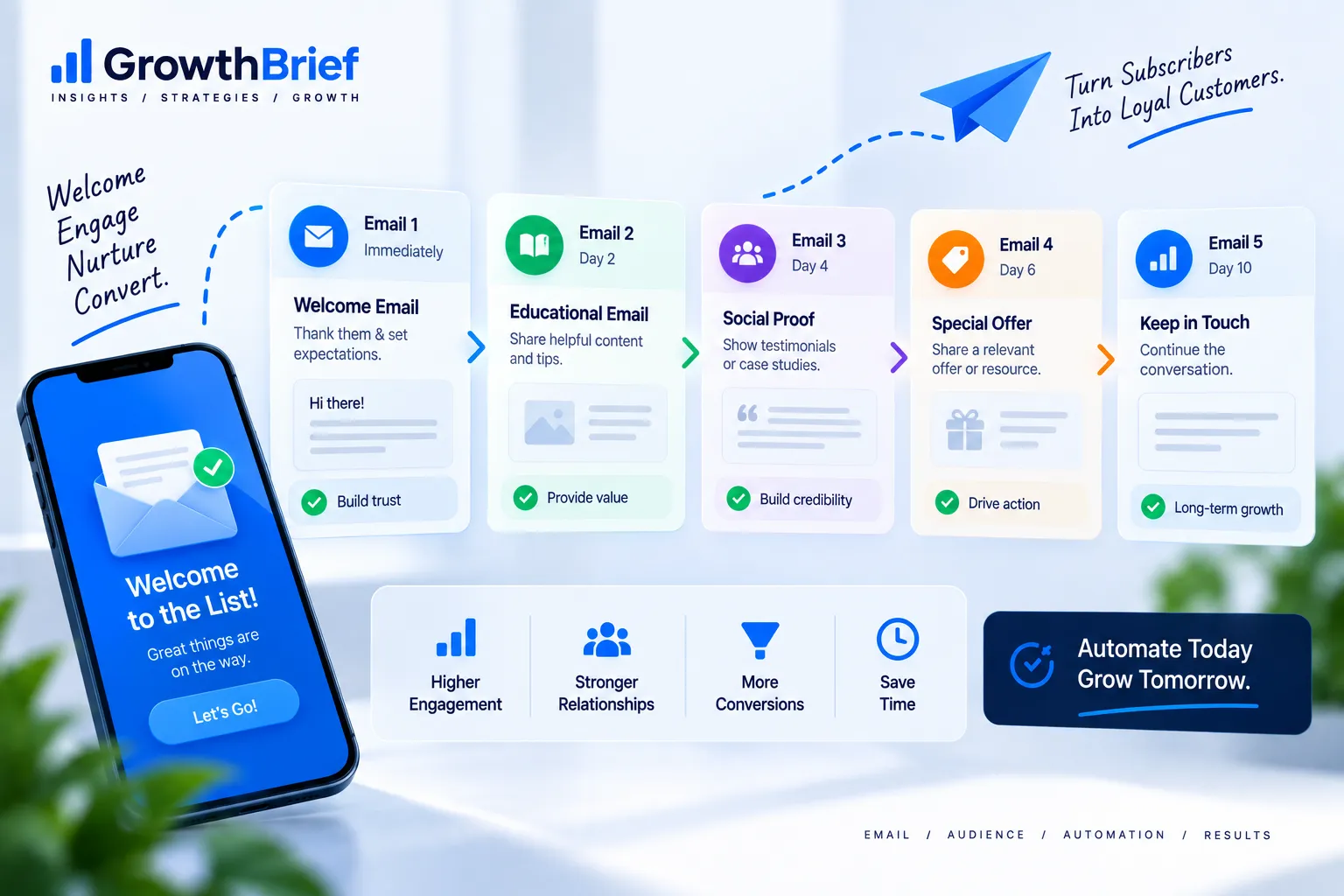
- Welcome sequence: orient new subscribers and set expectations.
- Lead nurturing: help prospects use what they requested, understand the problem and move toward the next useful step.
- Customer onboarding: guide setup, education and early activation.
- Post-purchase education: help customers get more value from the product or service.
- Re-engagement: identify whether inactive subscribers still want to hear from you.
Once these workflows are reliable, add branching only where different behavior genuinely requires a different message.
TRIGGERS & LOGIC
Use Triggers That Represent a Real Change in Context
Common trigger types
- New subscriber or form submission
- Purchase or transaction
- Page visit or link click
- Tag, field or lifecycle-stage change
- Date, anniversary or renewal window
- Period of inactivity
Useful decision rules
- Did the subscriber complete the intended action?
- Does their behavior indicate a different interest?
- Should they skip a message they no longer need?
- Has their status changed enough to exit the workflow?
- Would waiting improve the experience?
Good automation logic is easy to explain. If the team cannot describe why a branch exists, the workflow may be more complicated than the customer experience requires.
COMMON MISTAKES
Avoid Automation That Creates More Noise Than Value
Over-automating
Too many workflows can collide, repeat messages or make it difficult to understand why someone received an email.
Weak entry rules
If the trigger does not represent a meaningful change in context, the workflow may feel arbitrary rather than helpful.
No exit logic
Subscribers should leave a workflow when the original need disappears. Continuing after conversion or status change creates irrelevant communication.
Measuring only email activity
Clicks and opens are useful signals, but the automation should ultimately be judged against the outcome it was designed to support.
MEASUREMENT
Measure Whether the Workflow Moves People Forward
Automation performance should be measured against the job of the workflow. A welcome series may focus on activation and early engagement. A re-engagement sequence may focus on renewed activity or clean suppression. A post-purchase flow may focus on education, repeat use or a next-step conversion.

| Question | What to examine |
|---|---|
| Are the right people entering? | Trigger quality, audience rules and unexpected enrollments |
| Are messages being received? | Delivery, bounces, complaints and overall deliverability |
| Are subscribers engaging? | Clicks, replies, content interactions and step completion |
| Are people reaching the goal? | Activation, purchase, retention, re-engagement or the workflow-specific outcome |
| Where do people stall? | Drop-off between steps, delays, branches and unnecessary friction |
SOFTWARE
Choose Automation Software Around the Journeys You Actually Need
Automation platforms vary in how they handle triggers, conditions, branching, segmentation, ecommerce events, CRM data, integrations and reporting. Start by mapping the workflows you need before comparing feature lists. Ecommerce teams should verify that the platform can distinguish stages such as browse abandonment, cart abandonment, purchase and post-purchase activity rather than treating every behavioral event as the same workflow.
Evaluate workflow capability
- Available triggers and events
- Conditions and branching
- Wait steps and timing controls
- Segmentation and personalization
- CRM or ecommerce data access
- Testing and workflow reporting
Evaluate operational fit
- Ease of building and editing flows
- Visibility into why a contact entered
- Team permissions and collaboration
- Pricing as contacts and usage grow
- Integration reliability
- Ability to export data and migrate
A Practical Email Automation Roadmap
Map
Choose one lifecycle moment, define the trigger, audience, intended outcome and reason each message exists.
Launch
Build the simplest version that can solve the communication need. Test entry rules, delays, links, branches and exit conditions before turning it on.
Improve
Review outcomes, identify weak steps and add complexity only when the data shows that a different path would improve relevance.
QUICK ANSWERS
Email Marketing Automation FAQs
What is the difference between email automation and a normal campaign?
A normal campaign is usually scheduled and sent to a selected audience at a chosen time. An automation begins when a trigger or condition is met and continues according to predefined workflow rules.
What should I automate first?
Start with a frequent, high-value lifecycle moment that has a clear communication need. Welcome, onboarding and post-purchase education are common starting points because the trigger and intended next step are usually easy to define.
How many emails should an automation contain?
There is no ideal number. Use as many steps as needed to accomplish the workflow’s purpose without repeating information or extending the sequence unnecessarily.
Do automation workflows need segmentation?
Not always. Segmentation is useful when a meaningful difference in subscriber data or behavior should change the message, timing or path. Do not add branches simply because the software supports them.
Can too much automation hurt email performance?
Yes. Overlapping workflows, excessive frequency, irrelevant triggers and poor exit logic can create duplicate or unwanted messages. Automation should reduce friction, not multiply it.
Automate the Moments That Deserve a Better Experience
Start with one journey, make the logic clear, measure whether it moves people forward, and expand only when the next layer adds real value.