Post-Purchase Emails: Examples & Automation Sequence
Post-purchase emails are messages sent after a customer completes an order. They can confirm what happened, reduce uncertainty, help the customer use the product, collect feedback and create relevant opportunities for repeat business.
What Are Post-Purchase Emails?
A post-purchase flow starts after a completed purchase. Some messages are transactional, such as order and shipping confirmations, while others are lifecycle marketing messages such as education, review requests, replenishment reminders and relevant recommendations.
Keep the distinction clear: essential transactional information should not depend on whether a customer engages with promotional email.
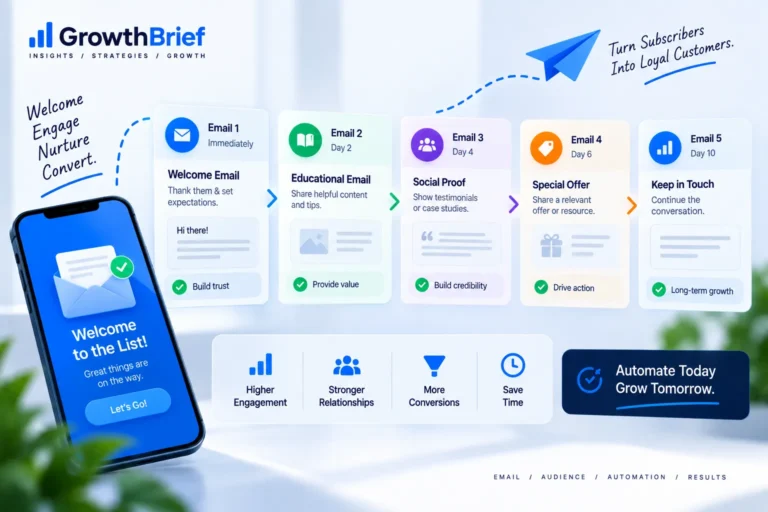
A Practical Post-Purchase Email Sequence
1. Order confirmation
Confirm the purchase immediately and clearly show order details, expected next steps and support information.
2. Fulfillment or delivery update
Reduce uncertainty with useful status information. Avoid stuffing operational messages with promotions that distract from the reason the customer opened them.
3. Product education
After delivery—or when access begins for a digital product—help the customer get value. Setup instructions, care advice, onboarding steps and common mistakes can reduce friction.
4. Check-in or feedback request
Allow enough time for genuine use before asking for a review. The right delay depends on the product and fulfillment cycle.
5. Relevant next purchase
Recommend a complement, refill, upgrade or next product only when it logically follows from the original purchase.
Post-Purchase Timing
There is no universal schedule. Trigger timing from real events when possible: purchase completed, order shipped, order delivered, expected consumption window or product activation. Event-based timing is usually more meaningful than arbitrary day counts.
Post-Purchase vs Transactional Email
Transactional messages are triggered by an individual transaction or account action and often contain information the recipient needs. A broader post-purchase sequence can include both transactional and marketing messages. Read our transactional email guide for the distinction and implementation considerations.
Personalize With Purchase Context
Use the product purchased, customer type, first-time/repeat status and relevant category information. Email personalization is most useful when it changes the message in a way that genuinely helps the recipient.
What to Measure
Choose metrics by message purpose. Operational messages may be evaluated through successful delivery and reduced support friction; education through useful clicks or activation; review requests through completed reviews; and recommendations through attributable repeat purchases and revenue. Use the Email Revenue Calculator when modeling campaign revenue.
Common Mistakes
- Turning every post-purchase message into another promotion.
- Requesting a review before the customer has received or used the product.
- Recommending unrelated products.
- Failing to stop or branch automations when an order is cancelled or returned.
- Using fixed delays when delivery or activation events are available.
Post-Purchase Email FAQs
When should a post-purchase sequence start?
The first operational message normally follows the purchase immediately. Later messages should reflect fulfillment, delivery and realistic product-use timing.
Should post-purchase emails include discounts?
Not automatically. Education, reassurance or a relevant recommendation may be more useful than training customers to expect another discount.
Can post-purchase emails be automated?
Yes. Purchase, fulfillment and customer events are natural triggers for automated email workflows.