Email Drip Campaigns: Examples, Strategy & How to Build One
An email drip campaign is a planned sequence of messages delivered automatically as a contact moves through a defined journey. The sequence may be driven by time, behavior, attributes or lifecycle events. The useful distinction is not the word “drip”; it is that entry, progression and exit are designed in advance. A strong drip campaign helps the recipient take the next sensible step instead of sending a fixed pile of emails because automation software makes it possible.
Drip campaigns vs broadcasts
A broadcast campaign is normally sent to an audience at a scheduled time. A drip sequence begins when an individual meets its entry condition. One person might enter a welcome sequence today while another enters next week.
This makes drip campaigns useful for customer onboarding, education, lead nurturing, trial adoption, post-purchase guidance, renewal preparation and re-engagement. Promotional broadcasts can still coexist with them, but suppression and frequency rules should prevent collisions.

Start with the journey, not the emails
Write down the entry event, current customer state, desired outcome and exit event before drafting copy. For a SaaS trial, the goal might be first meaningful product use. For a lead magnet, the goal might be an informed request for a consultation rather than an immediate sale. The Email Sequence Planner can turn those inputs into a practical starting sequence.
When the desired progression is unclear, sequences tend to become a series of unrelated tips followed by repeated sales asks. A journey map keeps each message accountable to a purpose.
Examples of useful drip campaigns
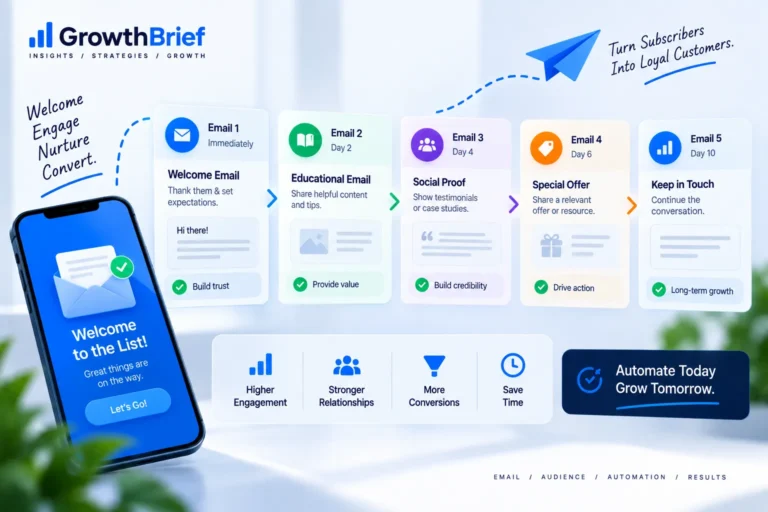
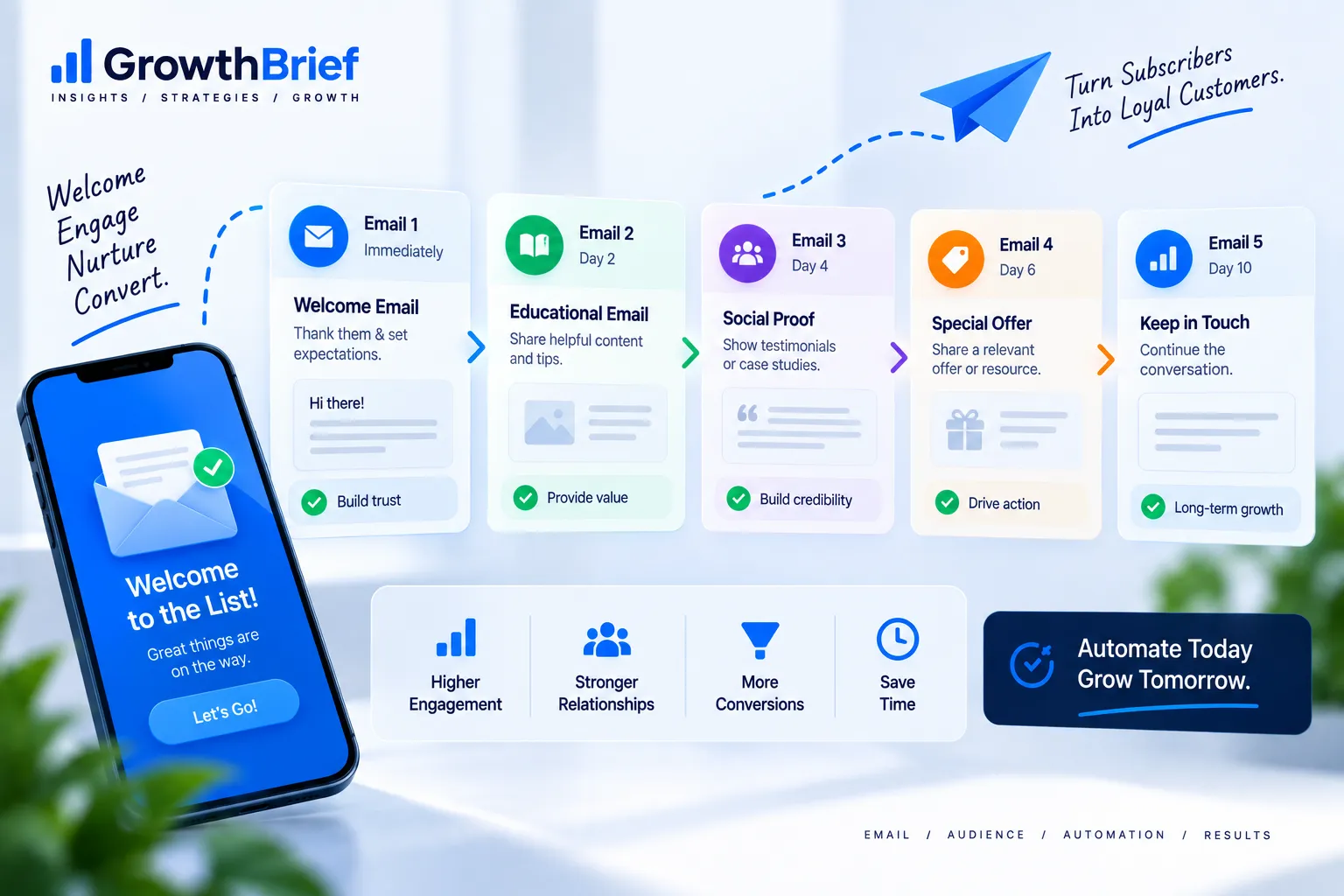
Welcome: deliver the signup promise, establish expectations and guide a first action. Onboarding: help users reach activation milestones. Lead nurture: answer questions and objections as a buyer evaluates a problem. Post-purchase: help customers use what they bought. Re-engagement: determine whether inactive contacts still want the relationship.
Choose the sequence because the recipient’s state creates a real information need. Automation should reduce repetitive work while increasing relevance, not create more messages by default.
How to plan the sequence
Give each email one job. Early messages can orient and deliver value; middle messages can teach, demonstrate or address objections; later messages can invite a proportionate next action. Write the purpose of each email in one sentence before writing the subject line.
Add branches only when the data changes what should happen. For example, a contact who completes onboarding should not keep receiving beginner reminders. Complexity that does not change the experience is maintenance debt.
Timing and frequency
Cadence depends on urgency and the natural decision cycle. Product onboarding may require several closely spaced messages; a high-consideration B2B nurture may unfold over weeks. There is no universal “best” delay.
Monitor conversions alongside unsubscribes, complaints and signs of fatigue. Also account for broadcasts and other automations. Frequency should be managed at the customer level, not only inside each workflow.
Segmentation inside drip campaigns
Use lifecycle stage, declared preferences, customer status and meaningful behavior when they alter the message. Brevo, for example, documents dynamic segments whose membership changes as contact data changes and supports using segments in automations and campaign targeting.
Do not mistake every tracked event for intent. A single open or page view can be noisy. Stronger branches usually come from actions that clearly change customer state.
Measure the sequence as a system
Individual email metrics help locate friction, but the primary measure should reflect the journey: activation, qualified lead creation, purchase, renewal, retained subscriber or another defined outcome.
Document entry volume, completion rate, time to outcome and negative signals. If a workflow changes, annotate the reporting period so old and new versions are not compared as if they were identical.
Build and QA the workflow
Create the trigger, delays, conditions, emails and exit rules in a test environment where possible. Test every branch with realistic contact data. Verify personalization fallbacks, links, suppression, mobile rendering and what happens when a contact performs the desired action midway through the sequence.
For the wider architecture, use the GrowthBrief email marketing automation guide.
Example Drip Map: Lead Magnet to Qualified Conversation
A useful lead-nurture drip can begin by delivering the promised resource, then help the reader apply one idea, address a common implementation obstacle, show a relevant example, and finally invite a higher-commitment action. The sequence should not hide the promised resource behind several promotional emails.
| Stage | Message job | Exit/branch signal |
|---|---|---|
| Entry | Deliver the resource and set expectations | Invalid or suppressed contact exits |
| Education | Help the subscriber apply the core idea | Meaningful product/action data can change the branch |
| Evaluation | Answer a real objection or comparison question | Qualified conversion exits prospect nurture |
| Next step | Offer a proportionate CTA | Conversion or lifecycle change |
Automation Failure Modes
Watch for workflows that have no exit condition, use stale segments, send the same contact through overlapping sequences, or treat opens as definitive intent. Another common failure is editing a live workflow without documenting what happens to contacts already inside it. Before changing automation logic, understand whether the platform applies the new logic to existing participants or only new entrants.
How to Review a Drip After Launch
Review the journey from entry to outcome, not only email by email. Find where contacts stall, where negative signals rise, and whether the intended lifecycle transition actually occurs. If email three has fewer clicks because many qualified contacts already exited after email two, that can be a sign of a healthy workflow rather than a weak email.
Frequently Asked Questions
Is a drip campaign the same as email automation?+
A drip campaign is one form of email automation. Automation is broader and can include branching, scoring, data updates, notifications and multichannel actions.
How long should a drip campaign be?+
Long enough to complete the journey and no longer. The appropriate length depends on the customer state, decision cycle and purpose of the sequence.
What should trigger a drip campaign?+
Use a trigger that represents a real lifecycle event or customer state, such as signup, trial start, purchase or a meaningful product action.
When should someone exit a drip sequence?+
Exit when the intended outcome occurs, the contact becomes ineligible, unsubscribes or moves into a lifecycle state that makes the remaining messages obsolete.
How should I measure a drip campaign?+
Measure the journey outcome first, then use clicks, unsubscribes and complaints to diagnose where the sequence works or stalls.