What Is Email Marketing Automation? Examples, Triggers and Workflows
Email marketing automation uses predefined rules to send messages or take actions when specific events, conditions, or timing requirements are met. Instead of manually sending every email, you build a system that responds when a subscriber joins a list, clicks a link, starts a trial, buys a product, becomes inactive, or reaches another meaningful point in the journey.
The goal is not to automate everything. Good automation removes repetitive work while making communication more timely and relevant.
How Email Marketing Automation Works
Most automation platforms can be understood through three building blocks: triggers, conditions, and actions.
- Trigger: the event that starts or re-enters a workflow.
- Condition: a rule that decides what should happen next.
- Action: the email, delay, update, notification, or other step the system performs.
For example: a subscriber downloads a guide, waits one day, receives a follow-up email, and then takes one branch if they click a product link and another if they do not.
Our broader email marketing automation guide explains how automation fits into the full marketing system.
Common Email Automation Triggers
Useful triggers are tied to real subscriber behavior or lifecycle events. Common examples include:
- form submission or newsletter signup;
- purchase or order completion;
- trial start or account creation;
- specific link click;
- date or anniversary;
- cart or checkout activity;
- change in a contact field or tag;
- period of inactivity;
- product or website event.
The best trigger is not the most sophisticated one. It is the event that gives you a clear reason to communicate.

Examples of Useful Email Automation Workflows
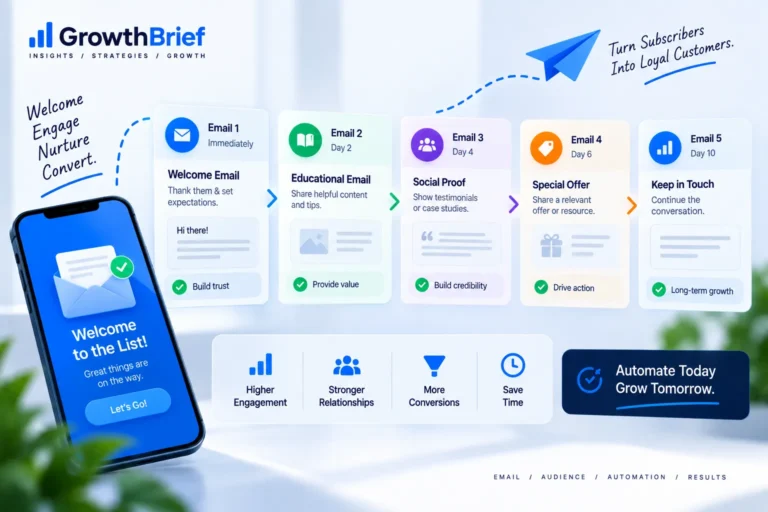
Welcome sequence
A welcome sequence can introduce the value subscribers signed up for, set expectations, direct them to important resources, and help them take a first meaningful step. See our dedicated welcome email sequence guide.
Lead nurturing
Lead-nurture workflows help subscribers understand a problem, evaluate approaches, and decide whether your product or service fits. They work best when they match the subscriber’s actual level of intent rather than forcing everyone through the same sales sequence.
Customer onboarding
Onboarding automation can guide new customers through setup, education, activation, and early success milestones.
Re-engagement
A re-engagement workflow can identify subscribers whose recent activity has fallen and test whether they still want to hear from you before you keep sending at the same frequency.
Transactional and lifecycle communication
Receipts, confirmations, password messages, account alerts, renewals, and other operational emails may use automation too, although they should be treated differently from promotional campaigns and configured with appropriate reliability and compliance controls.
Automation Is Not the Same as a Scheduled Campaign
A scheduled campaign is sent at a chosen time to a selected audience. An automation workflow responds to a rule or event and may continue differently for each contact.
Both approaches are useful. Newsletters, announcements, and time-bound promotions may belong in scheduled campaigns, while onboarding, lifecycle, and behavior-based communication are often better suited to automation.
Where Segmentation Fits
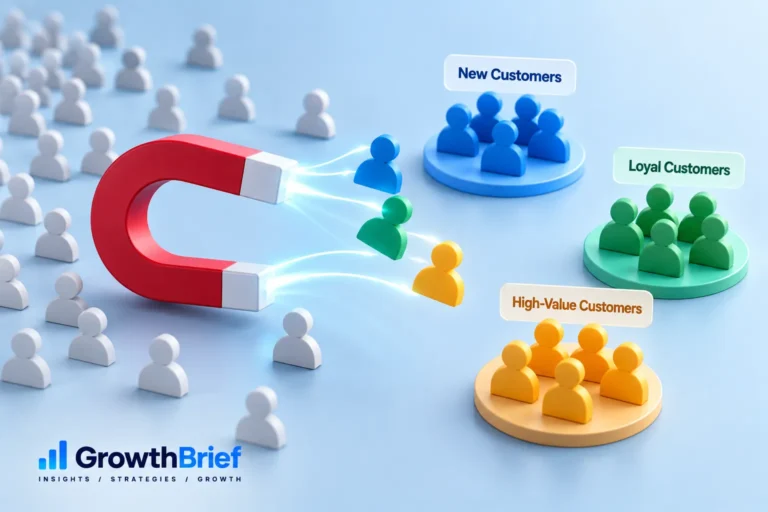
Automation becomes more useful when it knows who the subscriber is and what they have done. Email segmentation can determine who enters a workflow, which branch they follow, or whether they should be excluded.
A simple workflow with good segmentation is usually more valuable than a complicated workflow built on unreliable data.
How to Build Your First Automation
- Choose one clear use case. Start with a recurring communication problem.
- Define the trigger. Identify the event that creates a legitimate reason to send.
- Define the desired outcome. Decide what you want the subscriber to understand or do.
- Map the minimum steps. Avoid adding delays and branches unless they change the experience meaningfully.
- Set entry and exit rules. Make sure contacts do not remain in a workflow after the reason for it disappears.
- Test the logic. Use test contacts and verify every path.
- Measure and simplify. Remove steps that do not add value.

What Should You Measure?
The right measurement depends on the workflow. A welcome series may focus on first clicks, activation, and subscriber retention. A cart workflow may focus on recovered orders. Related guides cover browse abandonment and post-purchase automation in more detail. A re-engagement workflow may focus on meaningful activity and list cleanup.
Our guide to email marketing metrics explains how to connect campaign numbers to actual decisions.
Common Automation Mistakes
Automating before defining the strategy
Automation makes a process repeatable. If the process itself is weak, automation simply repeats the weakness faster.
Building too many branches
Complexity increases testing and maintenance. Every branch should have a clear reason to exist.
Forgetting exit rules
A subscriber who already purchased, upgraded, booked, or completed the target action may need to leave the workflow immediately.
Using stale data
Old tags, inconsistent fields, and missing events can send people down the wrong path.
Ignoring deliverability
Automation does not protect you from list-quality or sending-reputation problems. The same deliverability fundamentals still apply.
How to Keep Automation Maintainable
Name workflows clearly, document why they exist, record their entry and exit rules, and review them periodically. If a workflow depends on a product feature, offer, or lifecycle stage that changes, update the automation rather than letting outdated messages continue indefinitely.
Think of automation as an operating system for recurring communication, not a set-and-forget collection of emails.
A Simple Automation Planning Worksheet
- Trigger: What event gives us a reason to communicate?
- Audience: Who should enter, and who should be excluded?
- Outcome: What should the subscriber understand or do?
- Steps: What is the minimum sequence required?
- Exit rule: What event means the workflow should stop?
- Success metric: Which behavior proves the workflow is useful?
If you cannot answer those six questions clearly, simplify the workflow before building it.
Frequently Asked Questions
What is email marketing automation in simple terms?+
It is a rules-based system that sends emails or performs related actions automatically when defined events, conditions, or timing rules are met.
What automation should a beginner build first?+
A simple welcome or onboarding workflow is often a good starting point because the trigger and desired next step are usually easy to define.
Do I need advanced software to use automation?+
Not necessarily. Many email platforms provide basic triggers, delays, conditions, and workflow templates. Choose software based on the complexity you actually need.
Can automation replace normal campaigns?+
No. Scheduled newsletters, announcements, and editorial campaigns still have a role. Automation is best for recurring lifecycle and behavior-based communication.
How often should automations be reviewed?+
Review them whenever your offer, product, data structure, or customer journey changes, and perform periodic checks to catch stale copy, broken links, and outdated rules.